Digital Paintings
·
Beginner
Basic Procreate: Create Stunning Digital Art from Scratch
This course is designed for students who want to develop their creative
skills in a structured and enjoyable way. You will explore practical
techniques, understand important artistic concepts, and build confidence
through hands-on exercises and guided projects.
B
Batool Mandvi
Lead Artist & Instructor
Original price was: ₨ 3,990.₨ 1,995Current price is: ₨ 1,995.
Add to Cart
Enroll Now
30-Day Money-Back Guarantee
Not satisfied? Full refund within 30 days.
Not satisfied? Full refund within 30 days.
Learning Outcomes
What You'll Learn
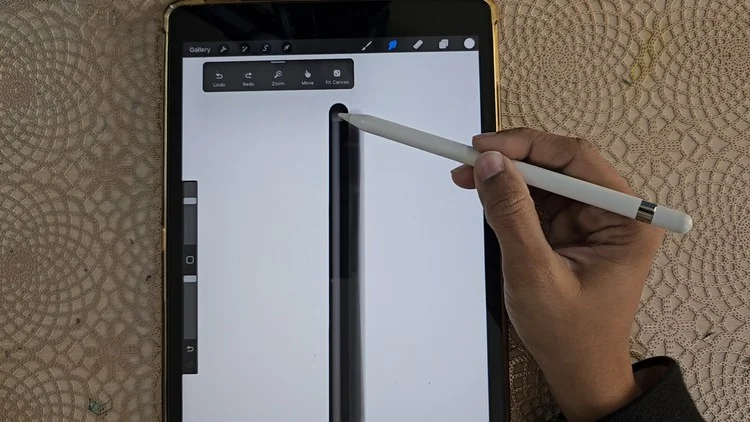
Navigate the Procreate interface and workspace.
Set up a canvas with the correct size and resolution.
Understand brush settings—size, opacity, and blend mode.
Create, merge, and mask layers.
Use selection, transform, and eraser tools.
Mix and apply color using palettes.
Apply basic blending and smudging techniques.
Export and share finished artwork
Course Content
Full Curriculum
6 Modules
6 Lessons
34 Minutes 10 Secs Total
1
Welcome & Course Foundations
5 lessons · 45 min
▶
Welcome to the Course
Free Preview
8:20
▶
Getting Started
Free Preview
12:10
▶
Understanding the Basics
15:30
▶
Essential Techniques
10:45
▶
Your First Practice Project
18:00
2
Core Techniques
5 lessons · 55 min
▶
Understanding the Tools
8:20
▶
Essential Techniques
12:10
▶
Practical Demonstration
15:30
▶
Practice Exercise
10:45
▶
Building Your Skills
18:00
3
Developing Your Style
5 lessons · 60 min
▶
Finding Your Creative Direction
8:20
▶
Exploring Different Approaches
12:10
▶
Layering & Blending
15:30
▶
Creating Texture
10:45
▶
Style Development Project
18:00
4
Composition & Creativity
5 lessons · 65 min
▶
Understanding Composition
8:20
▶
Creating Focal Points
12:10
▶
Working With Balance
15:30
▶
Creative Decision Making
10:45
▶
Composition Project
18:00
5
Final Course Project
4 lessons · 80 min
▶
Project Brief
8:20
▶
Planning Your Work
12:10
▶
Complete Project Demonstration
15:30
▶
Finishing Your Project
10:45
6
Finishing & Next Steps
4 lessons · 30 min
▶
Reviewing Your Work
8:20
▶
Improving Your Technique
12:10
▶
Where To Go Next
15:30
▶
Your Creative Journey
10:45
Prerequisites
Course Requirements
- iPad with Procreate app installed
- Apple Pencil (1st or 2nd gen, depending on your iPad)
- No prior digital art experience needed—beginners welcome
- Basic familiarity with using an iPad is helpful but not required
About This Course
Course Description
This course is designed for students who want to develop their creative
skills in a structured and enjoyable way. You will explore practical
techniques, understand important artistic concepts, and build confidence
through hands-on exercises and guided projects.
"Great art begins with curiosity, practice,
patience, and the freedom to experiment."
This course is designed for students who want to develop their creative
skills in a structured and enjoyable way. You will explore practical
techniques, understand important artistic concepts, and build confidence
through hands-on exercises and guided projects.
What's Included
Material Includes
Printable course resources
Practice exercises
Step-by-step demonstrations
Reference materials
Project guidance
Lifetime course access
Your Teacher
Meet the Instructor
B
Batool Mandvi
Lead Artist & Instructor
Our instructor brings practical artistic experience and a passion for helping students develop their own creative voice. This section currently contains dummy text and can be replaced with an instructor biography later.
Explore More
More Courses
Ready to Start Learning?
Start your creative journey today and learn at your own pace from anywhere.
Enroll Now